Free Security Check · 24/7 protection · Backup of covered data

Protect your Telegram account

TG Cerber shows the risks your account carries right now, stops an intruder's login in time, and keeps important data from disappearing with it.

We never read your messages. All data is encrypted. The free check changes nothing in your account.

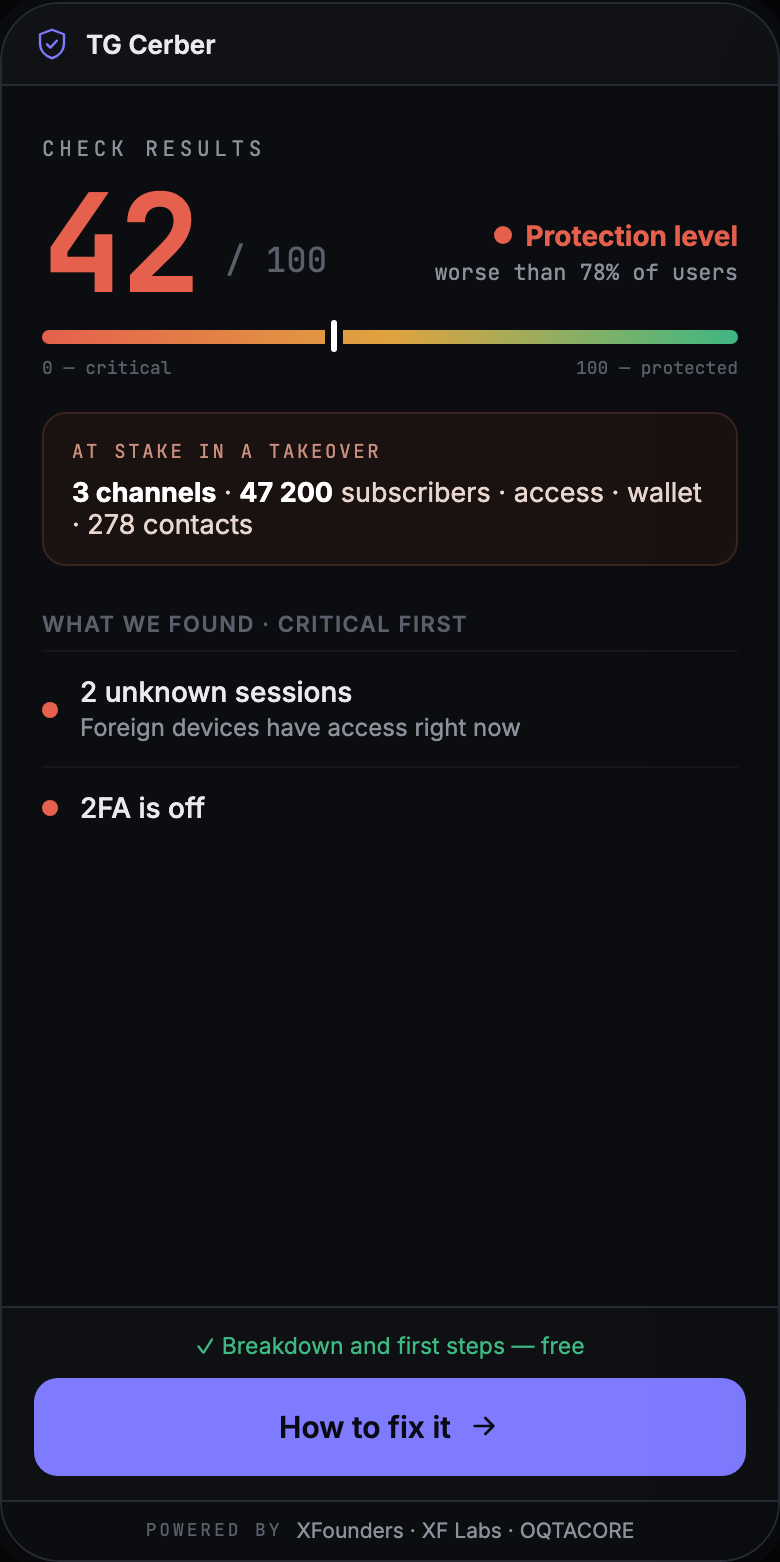
TG Cerber screen: check result 42 out of 100 with the critical risks found
Example check result

Scale

This is not a rare accident. It is a pipeline.

Telegram takeovers have become an industry: accounts are stolen in bulk, resold, and used to attack the owner's contacts and audience.

1,330,000
accounts stolen in the first quarter of 2026
+51%
growth in takeovers compared with the first quarter of 2025
24 hours
is what an intruder's session needs to settle into an account and gain management rights

Why a Telegram account is exposed

2FA and a manual session check are not enough on their own

Two-Step Verification protects a new login with an extra password. But a takeover happens once those credentials are already stolen and known to someone else.

  1. 1

    How access is obtained

    A phishing link, a fake bot or QR code, a malicious file from a friend who is already compromised — each of these opens a path into the account.

  2. 2

    The session nobody noticed

    A new session can appear while you sleep, while you fly, while you are offline, or simply while you miss the notification.

  3. 3

    24 hours to react

    After a day the new session gains extended rights and can lock you out of your own account. Passwords, emails and numbers get changed next.

  4. 4

    What it costs

    Contacts, channels, work conversations and important data are all exposed. Messages and scam posts can go out in your name.

TG Cerber stops the risk where manual protection can arrive too late

Once connected, TG Cerber watches new logins and never leaves an Unconfirmed Session without a response.

How the product works

First you find the risk. Then you turn protection on.

TG Cerber has three parts that work as one system.

1

Free Security Check

Shows the current state of the account and whether there is a risk already sitting in it.

  • Active Sessions
  • Baseline security and 2FA
  • Connected access
  • Key risk signals
2

Protector 24/7

Watches new logins continuously and helps terminate an Unconfirmed Session in your account.

  • New session monitoring
  • Trusted Devices
  • Confirmation for a new login
  • Automatic termination
3

Vault

Backs up covered data ahead of time, so losing access to the account does not mean losing what was built inside it.

  • Backup of covered data
  • Account and full data recovery
  • Everything in Protector

What the check tells you

Free

TG Cerber gathers the key risk signals in one place, so you can see quickly where the account is weak and how to close the gaps.

  • 01Which devices and sessions have access right nowEvery active authorization collected into a single result.
  • 02Whether Two-Step Verification is onWe check the baseline security configuration.
  • 03Whether anything else has accessWe show the additional entry points into the account.
  • 04Which assets could be at stakeWe help you see the potential scale of the damage.
  • 05What to do to harden the accountYou get a clear plan of action after the check.
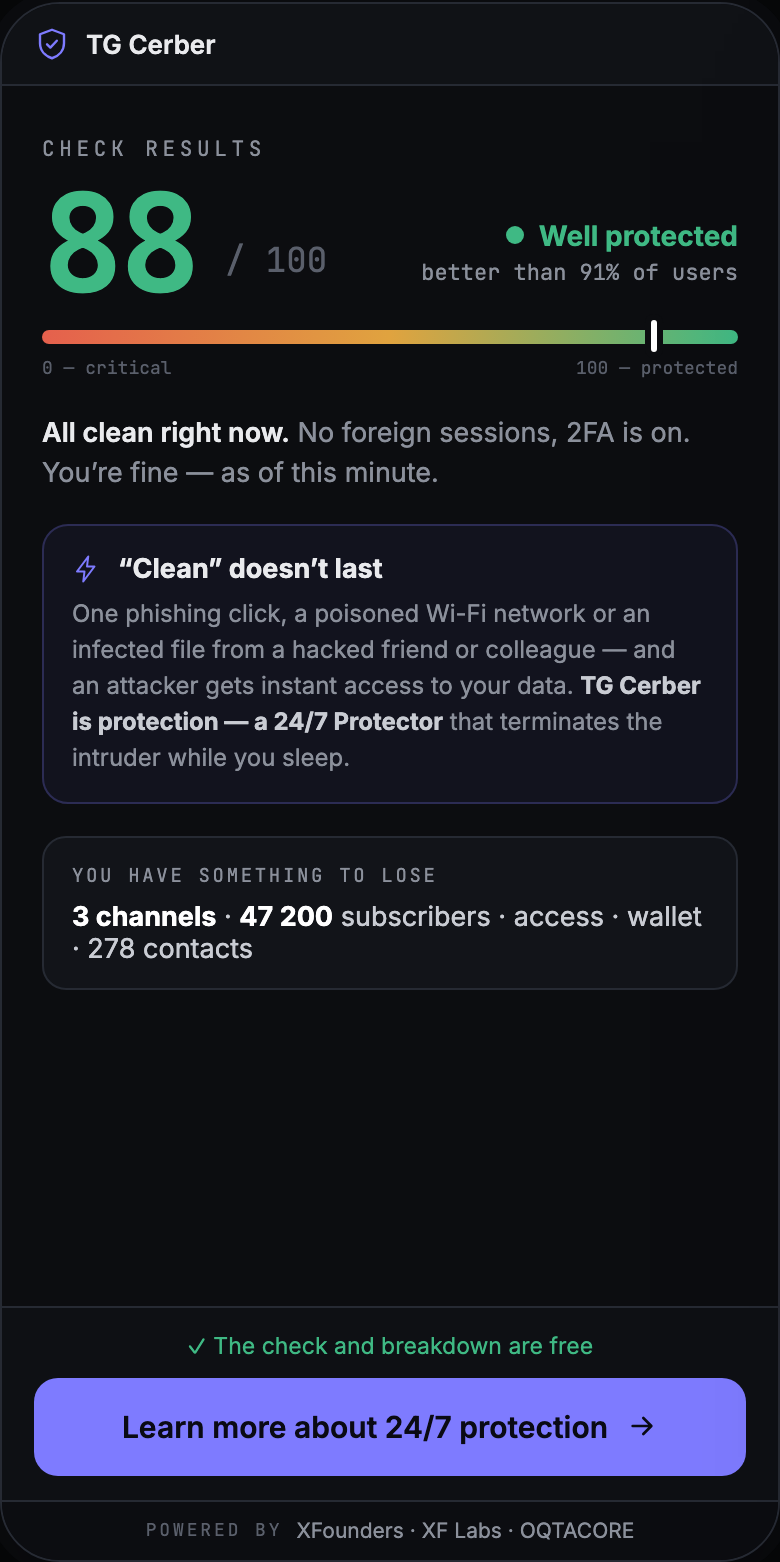
TG Cerber screen: strong protection level, 88 out of 100, with an offer to turn on 24/7 protection

Continuous Protection 24/7

How does protection work?

Once connected, TG Cerber watches new logins to the account around the clock and helps make sure no Unconfirmed Session is left inside.

Loop 1 · A new login

  1. 1A new session appearsTG Cerber notices the new login and compares it against your Trusted Devices.
  2. 2You get a confirmation requestIf it is your new phone, laptop or browser, you confirm it as trusted.
  3. 3An unconfirmed login is treated as suspiciousIf the login is not confirmed within 15 minutes, protection treats it as a risk event.
  4. 4The system terminates the session automaticallyTG Cerber runs the protective scenario for the Unconfirmed Session.

Loop 2 · A stolen active session

If an already-authorised session is moved to another device, TG Cerber recognises the device change and terminates the session automatically.

Manual checks vs Continuous Protection

The real problem is not seeing a new login in time

Without TG Cerber

  • You have to check sessions yourself, regularly
  • A new login can slip past you
  • Judging the risk quickly is hard
  • Protection depends on when you are online

With TG Cerber

  • A fast, free check
  • Key risk signals in one place
  • Continuous Protection for new logins
  • Less dependence on manual checks

Paid features

Free to understand the risk. Paid to turn on Continuous Protection.

After the check you choose the level of protection yourself.

Protector

from $15/mo

24/7 protection from unconfirmed sessions and control over new logins.

  • 24/7 protection
  • Control over new logins
  • Device whitelist
  • Automatic session termination
Recommended

Vault

from $79/mo

Protector plus a backup of covered data.

  • Everything in Protector
  • Backup of covered data
  • Account and full data recovery

For companies

When Telegram is how your team works

Cerber Company protects the Telegram accounts a company runs on: executives, finance, the deal team and channel owners. One place to manage protection and a shared picture of risk.

Learn about Cerber Company

Trust and transparency

What to know before the check

The Free Security Check does not read your messages

The check works with the account's security parameters, not with the content of your conversations.

The check itself changes nothing

You get the result first, and only then decide whether you want a next step.

You turn protection on yourself

Continuous Protection is not activated automatically after the free check.

TG Cerber is a dedicated service

It was built specifically to protect a Telegram account and the data tied to it.

Start with the free check and see the current state of your Telegram account

The check takes very little time and helps you decide whether you need the next level of protection.

FAQ

Questions and answers

Will you get access to my account?

The check and Continuous Protection use two different Telegram sessions. The one-off check session reads security parameters and is terminated in the normal way. The content of your conversations is not read. The protection session runs on our server. That is why it watches the account around the clock, whether or not your phone is on. You see it in Telegram → Settings → Devices as “TG Cerber” and can terminate it at any moment — protection then stops.

Why a subscription and not a one-off purchase?

A single check shows the state of the account today, but new logins keep appearing tomorrow. Continuous Protection is work that runs every day the account exists. An incident costs more: access to conversations, contacts and channels is lost whole and at once.

Why do I need TG Cerber if I can check Active Sessions myself?

The session list is only part of the picture. TG Cerber gathers the key risk signals in one place and gives you a clear next step: what to check, what to protect and what to turn on.

Is turning on Two-Step Verification enough?

2FA matters, but on its own it does not cover the risk around sessions that already exist, connected access, or human error.

Do I have to buy a subscription straight away?

No. Start with the Free Security Check and decide from the result whether you need Protector or Vault.

Does TG Cerber work on iPhone and Android?

Yes. TG Cerber is available for iPhone and Android.

Who needs Vault most?

Anyone whose Telegram holds critical data, work material, a history of communication or valuable assets worth securing in advance.